
Is China Truly Cashless?
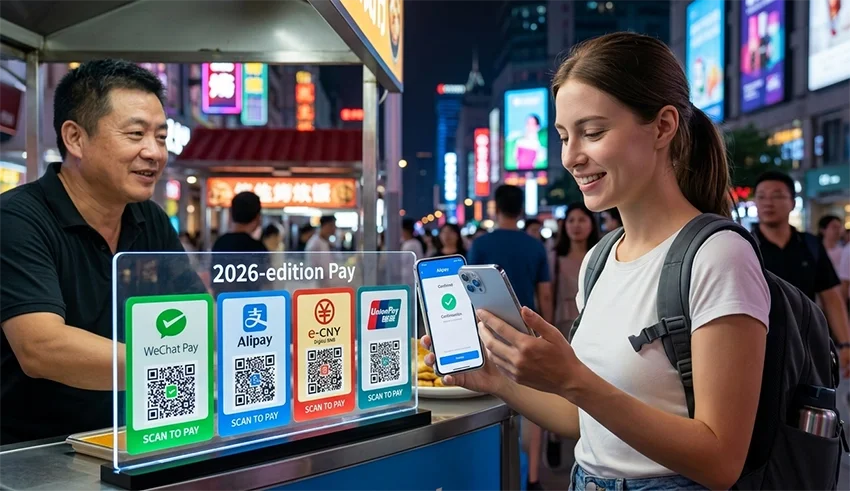
If you've heard rumors about China's leapfrog into a cashless society, let's cut to the chase:the rumors are true—China is now an astonishing 95% cashless as of 2026 . Walk down any street in Beijing, Shanghai, or even small provincial cities, and you'll see it everywhere: sleek shopping malls, bustling street food stalls, humble neighborhood grocery stores, and even bicycle rental stands—all emblazoned with QR codes, the universal language of Chinese payments.
The best news for international travelers?Since 2024, China has completely overhauled its digital payment system to welcome foreigners with open arms . No longer do you need to navigate the hassle of opening a Chinese bank account, hunting down a prepaid Tourist Card, or scrambling to exchange wads of cash before your trip. Today, you can link your Visa, Mastercard, or other major international credit/debit cards directly to China's two dominant payment apps—Alipay and WeChat Pay—with just your passport and a few taps on your phone. This guide will walk you through every step, demystify fees and limits, and ensure you can pay seamlessly like a local during your 2026 visit to China.
Short on time? Download Alipay, link your Visa/Mastercard, and verify your passport. It works for 99% of situations. Keep 200 RMB cash for emergencies.
The "Big Two": Alipay vs. WeChat Pay
In China's cashless ecosystem, two platforms reign supreme:Alipay and WeChat Pay . Together, they process nearly all digital transactions, and while they overlap in core functions, each has unique strengths that make them worth understanding for travelers.
Alipay
Owned by Ant Group (affiliated with Alibaba), Alipay is China's oldest and most feature-rich digital wallet. Think of it as a one-stop financial super app: beyond payments, it handles hotel bookings, train/flight tickets, taxi hailing, utility bills, and even travel insurance. For foreigners, it's the top choice in 2026:
- Widest international card support:Fully compatible with Visa, Mastercard, Diners Club, Discover, and JCB.
- Streamlined tourist verification:Passport verification is fast (often instant, max 24 hours) and designed specifically for non-Chinese users.
- Broader merchant coverage:More small vendors, tourist attractions, and remote-area shops accept Alipay than WeChat Pay.
- Clear fee transparency:Explicit, upfront pricing for foreign card transactions (no hidden charges).
WeChat Pay
Built into WeChat—China's indispensable messaging/social app with over 1 billion users—WeChat Pay is the "everyday" payment tool for locals. It's deeply integrated into daily life: splitting bills with friends, sending red envelopes (hongbao), ordering food delivery, and shopping on WeChat's mini-programs. For travelers:
- Great for social/peer transactions:Ideal if you're traveling with Chinese friends or need to send money to others.
- Seamless in-app convenience:No need to switch apps—pay directly while chatting, browsing, or using WeChat services.
- Intuitive flow difference:As of 2026, WeChat Pay and Alipay have nearly identical verification processes for foreign users. The key pain point for WeChat Pay is that its "Wallet" feature sometimes requires completing real-name authentication before you can link a card, whereas Alipay's international version directly guides you to add a card upon entry—making it more straightforward for first-time users.
Pro Tip for Travelers :Download both apps . While Alipay will be your primary payment tool for most purchases, having WeChat Pay ensures you never hit a snag—some smaller vendors or family-run shops may prefer one over the other.
Step-by-Step: Setting Up Alipay (The Tourist Choice)
Setting up Alipay as a foreigner takes 10–15 minutes and requires only your phone, passport, and international card. Follow this 2026 updated guide for a smooth setup:
1. Download the App
- iOS: Search "Alipay" in the App Store (use your home country's App Store—no need to switch regions).
- Android: Download from Google Play or Huawei AppGallery.
- Critical Note:Ensure you download the official Alipay app (icon: blue background with white "支付宝" text) to avoid fake apps.
2. Register & Switch to International Version
- Open the app and tap "Sign Up". Select your country/region from the dropdown, enter your international phone number, and tap "Get Code".
- Enter the SMS verification code sent to your phone to create your account.
- Automatic International Switch:Alipay will detect your non-Chinese SIM card and auto-switch to the English international version. If not: Go to Me → Settings → Region Settings → Select your home country → Save and restart the app.
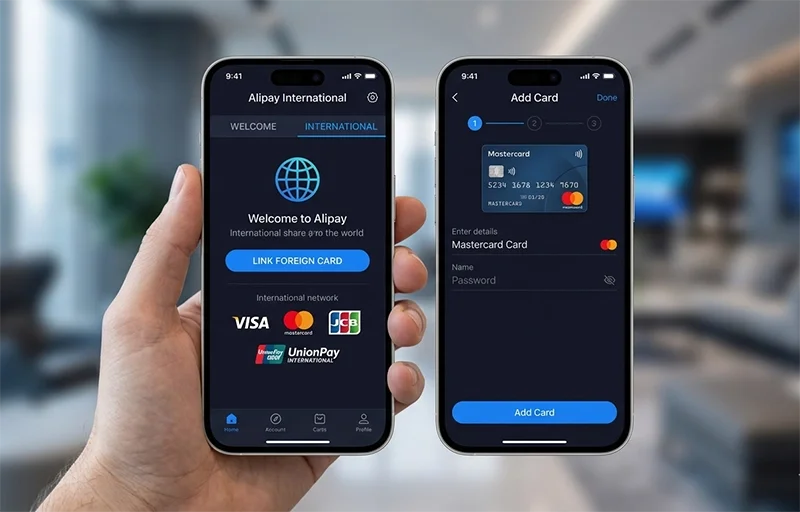
3. Link Your International Card
- Tap Me (bottom-right corner) → Bank Cards → Add Card.
- Enter your card details exactly as they appear on your card (16-digit number, expiry date, CVV).
- Select your card type (Visa/Mastercard/JCB/Discover/Diners Club) and enter your billing address (use your home address—no Chinese address needed).
- Complete your bank's 3-D Secure verification (usually an SMS OTP or app notification).
4. Complete Identity Verification (Mandatory for Full Access)
This step unlocks higher transaction limits and full payment functionality—do not skip it:
- Go to Me → Settings → Account & Security → Identity Verification → Start Verification.
- Select Passport as your ID type.
- Fill in your details exactly as on your passport: full name (uppercase English), date of birth, passport number, expiration date.
- Upload clear, well-lit photos of: 1. Your passport's bio-page (with your photo and personal details). 2. Your passport's China entry stamp page (proves you're in China).
- Complete a quick facial recognition scan (follow on-screen prompts: face the camera, blink slowly).
- 2026 Update:Most verifications are instant; rare delays take 24 hours. You'll get a push notification once approved.
Once done—you're ready to pay! To use: Open Alipay → Tap "Scan" (top-left) → Scan the merchant's QR code → Enter amount → Confirm with your payment password/biometrics (fingerprint/face ID).2026 Perk:For small transactions (under 100 RMB), Alipay's international version now defaults to contactless biometric payment—enjoy seamless touch-and-pay with FaceID for small snacks, bottled water, or public transport fares.
Understanding Fees & Limits
China's payment apps have clear, traveler-friendly fee structures for foreign cards—here's what you need to know, with 2026-specific details:
The "200 RMB" Fee Rule (Updated for 2026)
To keep your travel costs down, remember the Magic Number: 200.
- Completely FREE of platform fees. Perfect for daily meals, taxis, and convenience stores.
- 3% Service Fee is added by the payment app (Alipay or WeChat Pay)—this is separate from any fees your home bank may charge.
Smart Strategy : If you are buying a 300 RMB souvenir, ask if you can pay in two transactions (150+150) to avoid the fee. Most small vendors won't mind!
Important Note : Your home bank may charge an additional 1–3% foreign transaction or currency conversion fee on top of the app's 3% fee (if applicable). Check with your bank before traveling to understand your total costs.
Transaction Limits (Verified Foreign Users)
| Payment Platform | Single Transaction | Annual Cumulative Limit |
|---|---|---|
| Alipay | Up to $5,000 (≈35,000 RMB) | Up to $50,000 (≈350,000 RMB) |
| WeChat Pay | Up to $4,800 (≈33,000 RMB) | Up to $50,000 (≈350,000 RMB) |
Pro Tip for Large Purchases : For expensive items (luxury goods, hotel stays over 2,000 RMB),ask the merchant if they have a physical POS machine . Swiping your Visa/Mastercard directly avoids the 3% app fee and may save you money—many high-end stores and hotels offer this option.
What About Cash and Physical Cards?
While China is nearly cashless,cash is still legal tender —and smart to carry for emergencies:
Cash
- Emergency Stash:Keep 300–500 RMB in small bills (50/100 RMB notes) for:
- Remote rural areas (some small vendors don't have QR codes).
- Dead phone batteries (no access to digital payments).
- Small street stalls or temple donations.
- Acceptance:All large supermarkets, hotels, and government-run facilities must accept cash by law.
- Exchanging Cash:Exchange money at airports, major banks (Bank of China, ICBC), or licensed exchange counters—avoid street vendors (risk of counterfeits).
ATMs
ICBC, Bank of China (BOC), CCB
These banks universally accept Visa, Mastercard, and Plus/Cirrus network cards.
- Fees:ATM operators charge ~10–15 RMB per withdrawal; your home bank may add its own fee.
- Limits:Most ATMs let you withdraw up to 10,000 RMB per day (varies by bank).
Physical Credit/Debit Cards
Only 4–5 star international hotels, high-end malls (e.g., Plaza 66 in Shanghai), and luxury brand stores accept foreign card swipes.
Local restaurants, convenience stores, and most tourist attractions do not accept foreign physical cards—always use your linked digital wallet.
Don't Rely On Them : Always ensure your cards are linked to your digital wallet before heading out for the day.
e-CNY (Digital RMB)
China's central bank digital currency (CBDC),e-CNY (Digital RMB), has fully opened to foreigners in 2026—making it a fantastic backup payment option. Here's what you need to know:
What is e-CNY?
A digital version of China's physical yuan, issued and backed by the People's Bank of China. It's 1:1 equal to RMB , works offline (no internet needed), and has zero transaction fees.
How Foreigners Can Use e-CNY
Search "e-CNY" (or "数字人民币") in App Store/Google Play—look for the official app by the People's Bank of China Digital Currency Institute.
Use your international phone number + SMS verification (no Chinese number needed).
Choose a supporting bank (ICBC, BOC, CCB) to open a basic e-CNY wallet.
Link your Visa/Mastercard directly in the app to add funds—instant, no fees.
Scan merchant e-CNY QR codes or show your payment QR code—works anywhere with the e-CNY acceptance sign.
e-CNY Perk: Physical Hard Wallet
PEK (Beijing Capital) or PVG (Shanghai Pudong)
Pick up at major airport service counters and top it up with your credit card—perfect if you don't want to rely entirely on your phone.
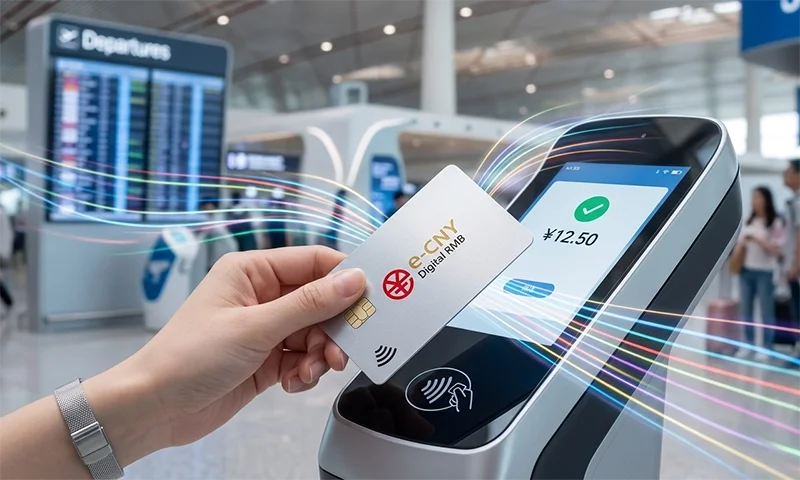
These cards work like a contactless 公交卡 (public transport card) and can be used at any e-CNY-enabled merchant, even without a phone.
Why Use e-CNY?
- Zero fees:No 3% charge for any transaction amount (unlike Alipay/WeChat Pay).
- Offline capability:Pay even with no cell service or Wi-Fi (critical for remote areas).
- Backup safety:Works if Alipay/WeChat Pay have technical issues or your card is declined.
Troubleshooting: Why Did My Payment Fail?
Payment declines are rare with verified accounts, but here's how to fix the most common 2026 issues—now with collapsible sections for better readability:
Most common issue: Your bank blocks foreign transactions by default.
Fix:Log into your home bank’s app/website → Go to "Card Settings" → Enable "International Transactions"and "Online Cross-Border Payments".
Note:Some banks require you to "unlock" China specifically—add China to your travel list.
Foreign cards only work with Merchant QR codes—not Personal QR codes
Official store code (labeled "商户收款" / "Merchant Payment")—works every time.
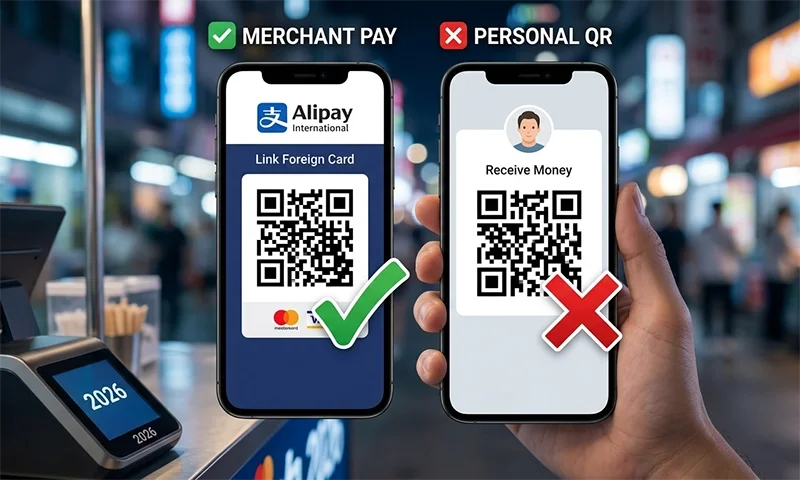
Individual user code (for P2P transfers)—foreign cards are blocked for these.
Fix:Ask the vendor to show their official Merchant QR code (all legitimate stores have one).
Bank Spending Limits
Your home bank sets its own daily/weekly foreign transaction limits (separate from China’s app limits).
Fix:Check your bank’s app for "Daily Foreign Spend Limit"—temporarily increase it for your trip if needed.
Unsupported or Expired Card
- Ensure your card is Visa/Mastercard/JCB/Discover/Diners Club (Amex has limited support in 2026).
- Double-check your card’s expiry date and that you entered details correctly in the app.
Incomplete Verification
If you skipped passport verification, you’ll hit low limits and frequent declines.
Fix:Complete identity verification (steps in Section 3) to unlock full functionality.
Final Tips for Smooth Payments in China
1.Set up payment security : Enable fingerprint/face ID payment verification in Alipay/WeChat Pay settings—adds a safety layer.
2.Carry a portable charger : A dead phone = no payments—keep a charger handy.
3.Test small first : Make a 10–20 RMB purchase (e.g., a coffee) after setup to confirm your card works.
4.Save customer service contacts :
+86 571-95188
English support available 24/7
+86 571-95017
9:00-18:00 Mon-Fri (GMT+8)
In-app:"Help & Feedback" → "Foreign User Support"
China's 2026 payment system is more foreigner-friendly than ever—with a little prep, you'll navigate cashless transactions effortlessly, leaving more time to enjoy the sights, food, and culture of this incredible country.Welcome, and happy travels!